

Mandrill is a paid Mailchimp add-on. It’s an email infrastructure service designed specifically to handle transactional emails such as password resets, welcome messages, and order confirmations. The software promises fast delivery and personalized emails using API or SMTP. This configuration guide covers Mandrill DKIM and SPF Setup.
Setting up SPF
Step 1: First, create a new CNAME record with a subdomain that targets mandrillapp.com. In our case, the subdomain ismandrillsub.mydmarc.xyz
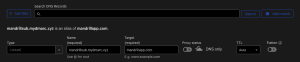
Note: Turn off the proxy status if you’re using Cloudflare.
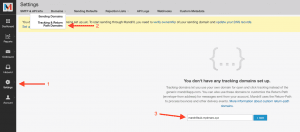
Step 2: Head to Mandrill and click on Domains > Tracking & Return Path Domains.
Step 3: Add the subdomain here as well. This step will validate that the new record exists.
Step 4: Afterward, head to your Settings > Sending Defaults and change the Return-Path Domain to the subdomain you’ve just created and make sure to save it.
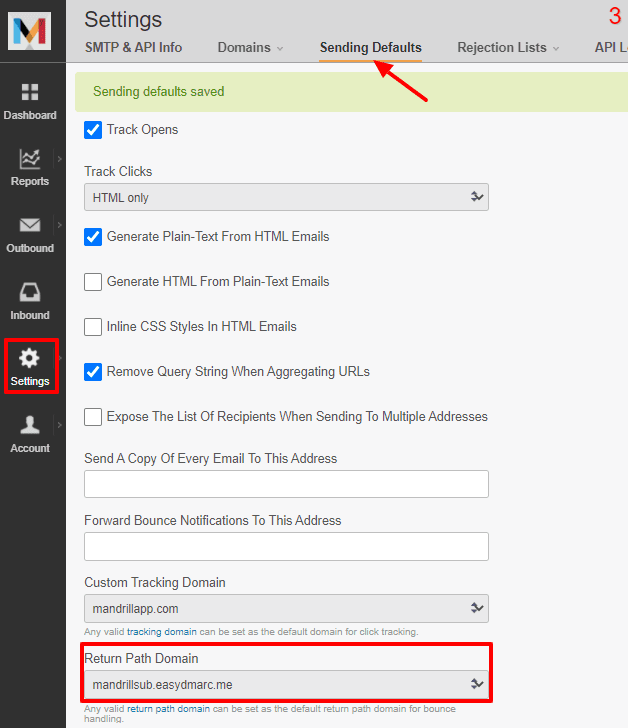
Now that you’re done with the Mandrill SPF configuration, you can start the DKIM setup steps.
Setting up DKIM
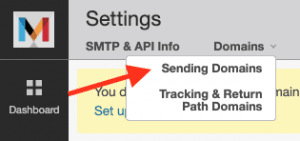
Step 1: Head to Domains > Sending Domains.
Step 2: Click “View DKIM Settings.”
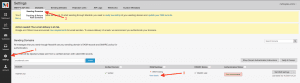
Step 3:
Mandrill will now provide you with two CNAME DKIM records that need to be added to your DNS zone.
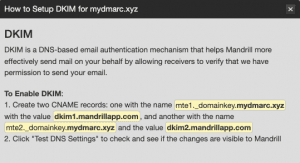
Step 4: Head back to your DNS zone and add the DKIM record.


Note: Turn off the proxy status if you’re using Cloudflare.
Step 5: After adding it, Mandrill will run a check to validate the DKIM configuration you’ve set up.
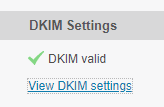
Once the check is displayed, you’re set.
Important note*: Mandrill allows you to change the Return Path address for only one domain. If you have multiple domains added to Mandrill, you can configure the SPF record for just one of them, while the rest will rely solely on DKIM. This is sufficient to remain DMARC compliant.*
















