Gmail · Yahoo Mail · Outlook.com
Google, Yahoo and Microsoft bulk sender requirements, explained and checkable
Google, Yahoo and Microsoft require bulk senders, roughly 5,000 messages a day to their mailboxes, to pass SPF and DKIM, publish a DMARC record of at least p=none that aligns with the From: domain, offer one-click unsubscribe (RFC 8058) in marketing mail, keep spam complaints below 0.10% and never at 0.30%, and send from IPs with valid reverse DNS over TLS. Gmail and Yahoo have enforced since February 2024 and Outlook.com since 5 May 2025. This page lists every requirement, who it applies to, and how to check each one.
- ✓Each published rule, with the provider that sets it
- ✓How to check it: DNS lookup, message test, or the provider's own program
- ✓A free test that grades one real message against all of them

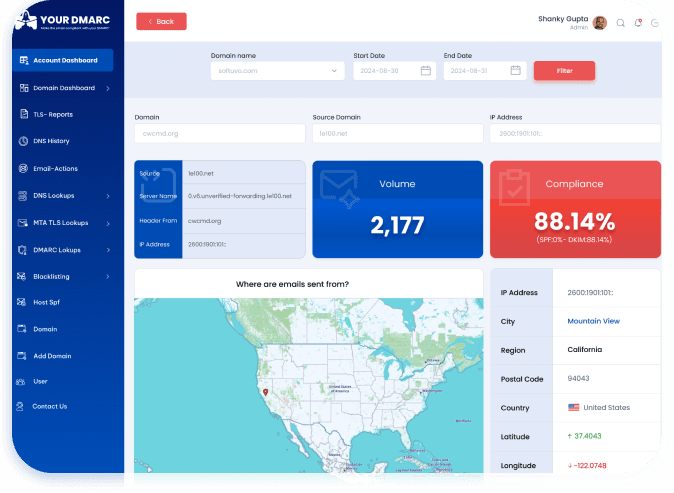
See it in Action
Who counts as a bulk sender?
Google classes you as a bulk sender when you send close to or more than 5,000 messages to personal Gmail accounts within a 24-hour period. The count covers all mail from the same primary domain, including subdomains, and once you have been a bulk sender you stay one.
Microsoft applies its rules to domains sending more than 5,000 emails a day to Outlook.com, Hotmail.com and Live.com addresses. Yahoo publishes a baseline for every sender and stricter rules for bulk senders without a fixed number.
Below the threshold, the all-sender rules still apply: SPF or DKIM, valid reverse DNS, a low complaint rate and a well-formed message. And a DMARC record is worth having regardless, because it is the only thing that stops someone else sending as your domain.
Two levels of rules
- ✓All senders: SPF or DKIM, valid forward and reverse DNS, RFC 5322 message format, a low spam rate, and (Google) TLS. Do not impersonate Gmail in the From: header.
- ✓Bulk senders: everything above, plus both SPF and DKIM, a DMARC record of at least p=none, From: alignment, and one-click unsubscribe for marketing mail.
The sender requirements check shows both levels separately, so you can see where you stand at today's volume and what changes if you grow.
Every requirement, and how to check it
Each rule below is a published requirement from Google, Yahoo or Microsoft. The check tells you whether it is visible in DNS, only on a real message, or only in the provider's own program.
Authenticate with SPF and DKIM
Set by: Google, Yahoo, Microsoft
Every sender must pass SPF or DKIM. Bulk senders must pass both: SPF for the return-path domain and a DKIM signature for the sending domain. Microsoft requires both SPF and DKIM to pass.
Publish a DMARC record (at least p=none)
Set by: Google, Yahoo, Microsoft
A DMARC record must exist at _dmarc.<domain>. p=none is enough for the requirement. Yahoo adds that DMARC must pass; Microsoft recommends p=reject.
Align the From: domain with SPF or DKIM
Set by: Google, Yahoo, Microsoft
The domain in the visible From: header must match the domain that passed SPF (the return-path) or DKIM (the d= tag). Relaxed alignment, where a subdomain matches the organisational domain, is accepted. A platform that signs with its own domain passes DKIM but fails DMARC.
One-click unsubscribe (RFC 8058)
Set by: Google, Yahoo
Marketing and subscribed mail must carry List-Unsubscribe and List-Unsubscribe-Post: List-Unsubscribe=One-Click headers, plus a visible unsubscribe link in the body, and requests must be honoured within two days. Transactional mail (receipts, password resets) is exempt. Microsoft's high-volume rules do not include it, but its general guidelines ask for an easy, documented unsubscribe.
Keep the spam complaint rate low
Set by: Google, Yahoo
Google: stay below 0.10% in Postmaster Tools and never reach 0.30%. Yahoo: below 0.3%. Microsoft publishes no threshold. Reaching the hard limit affects all your mail to that provider, not just the campaign that caused it.
Valid forward and reverse DNS, and TLS
Set by: Google, Yahoo, Microsoft
Each sending IP needs a PTR record that resolves back to the same IP (forward-confirmed reverse DNS), and Yahoo wants it non-generic. Google requires the connection to be TLS. The message must follow the RFC 5322 format.
Do not impersonate Gmail in the From: header
Set by: Google
Google's guidelines say not to put a gmail.com address in the From: header of mail you send from your own servers; Gmail enforces a DMARC quarantine policy on its own domain, so such mail is treated as failing. Send from your own domain and authenticate it.
If you forward mail, add ARC headers
Set by: Google
Google asks regular forwarders, including mailing lists and inbound gateways, to add ARC headers so that the original authentication results survive the hop. Forwarders should also add a List-id: header on mailing-list mail.
Want the three providers side by side, plus PCI DSS and HIPAA? See the sender requirements comparison.
Grade one real message against every rule
DNS shows what you publish, not what your mail does. Whether a message passes DMARC depends on which service sent it, which domain signed it and which return-path it used; one-click unsubscribe, TLS and reverse DNS only exist on a real message. The sender requirements check grades the message itself, using the verdict Google's mail servers recorded when they received it.
- Open the sender requirements check and copy the one-time test address. It stops working after 24 hours.
- Send the kind of mail your recipients get: add the address to a newsletter list, or trigger a receipt or password reset from your app. Each sending service is configured separately, so test each one.
- Read the result: a pass or fail for SPF, DKIM, DMARC alignment, one-click unsubscribe, TLS, reverse DNS and message format, shown separately for the all-sender and the bulk-sender level of each provider.

We read the headers to grade the message and keep the result, From address, subject and sending IP. We do not keep the message body.
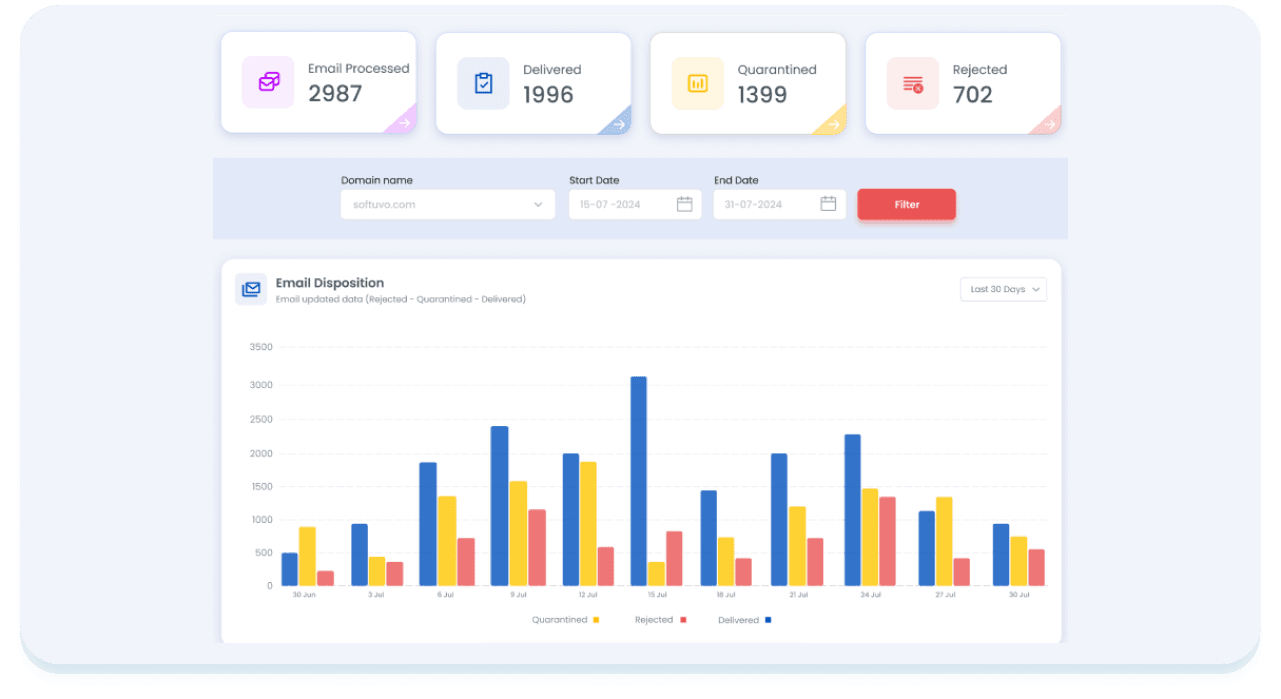
What each provider does with non-compliant mail
Gmail
Mail may be rate-limited, sent to spam or rejected. Unauthenticated mail is typically rejected with a 5.7.26 error. Enforcement began in February 2024, with stricter enforcement from November 2025.
Yahoo Mail
Mail that does not meet the standards can be deferred or rejected. Enforcement began in February 2024 and was phased in through the first half of that year.
Outlook.com, Hotmail, Live
Non-compliant high-volume mail goes to Junk and can be rejected with 550 5.7.515. Enforcement began on 5 May 2025. These rules cover Microsoft's consumer mailboxes, not Microsoft 365 business tenants.
The requirements are the floor, not the goal
p=none satisfies the rule and protects nobody: it asks receivers to report, not to act. The same DMARC reports that prove you comply also show every service sending as your domain and whether it aligns, which is exactly what you need to move to p=quarantine and p=reject without losing your own mail.
- ✓DMARC monitoring: every sender, its SPF and DKIM alignment, and alerts when something changes.
- ✓DMARC enforcement: the staged path from p=none to p=reject, with a readiness verdict per domain.
- ✓Hosted DMARC: one CNAME, then every policy change is a click, with rollback.

Bulk sender requirement questions
What are the Google, Yahoo and Microsoft bulk sender requirements?
All three require bulk senders to authenticate mail with both SPF and DKIM, to publish a DMARC record of at least p=none, and to align the visible From: domain with the SPF or DKIM domain. Google and Yahoo also require one-click unsubscribe (RFC 8058) for marketing and subscribed mail, a low spam complaint rate, valid forward and reverse DNS for sending IPs and RFC 5322-compliant messages; Google also requires TLS. Gmail and Yahoo began enforcing in February 2024 and Outlook.com on 5 May 2025.
Who counts as a bulk sender?
Google: a sender that sends close to or more than 5,000 messages to personal Gmail accounts in a 24-hour period, counted across all mail from the same primary domain. Once a domain has been classed as a bulk sender it stays one. Microsoft applies its rules to domains sending more than 5,000 emails a day to Outlook.com, Hotmail.com and Live.com. Yahoo has baseline rules for every sender and stricter rules for bulk senders without publishing a fixed number. Senders below the threshold still have to meet the all-sender rules.
Is p=none enough, or do I need p=quarantine or p=reject?
For the requirement, p=none is enough at Google, Yahoo and Microsoft, as long as DMARC passes with aligned SPF or DKIM. But p=none only asks for reports; it does not stop anyone sending as your domain. Microsoft recommends p=reject, BIMI logos need at least p=quarantine, and enforcement is the point of DMARC. See the DMARC enforcement guide for how to get there safely.
What is the spam rate limit, exactly?
Google asks senders to keep the spam rate reported in Postmaster Tools below 0.10%, and never to reach 0.30%, because a rate at or above 0.30% affects the delivery of all your mail to Gmail. Yahoo asks for a complaint rate below 0.3%. Microsoft publishes no number. These rates come only from each provider's own program, so enrol in Google Postmaster Tools and Yahoo's Complaint Feedback Loop; a DMARC tool cannot see them.
Does transactional email need one-click unsubscribe?
No. Google and Yahoo require one-click unsubscribe for marketing and subscribed mail. Receipts, password resets, order updates and other transactional messages are exempt. The sender requirements check still grades the unsubscribe headers on every message, marked as marketing-only, so you can read the result for a campaign and ignore it for a receipt.
What does one-click unsubscribe (RFC 8058) require in the message?
Two headers: List-Unsubscribe with an https URL (a mailto: may be present as well), and List-Unsubscribe-Post: List-Unsubscribe=One-Click. The receiver sends an HTTP POST to that URL when the user clicks unsubscribe, and you must honour it within two days. Both headers should be covered by the DKIM signature. A visible unsubscribe link in the body is required as well.
What happens if I don't meet the requirements?
Gmail may rate-limit, spam-folder or reject your mail, with unauthenticated mail typically rejected with a 5.7.26 error. Yahoo may defer or reject. Outlook.com sends non-compliant high-volume mail to Junk and can reject it with 550 5.7.515. For transactional mail this means customers never receive confirmations or password resets they are waiting for.
How do I check whether my domain meets the requirements?
Check what DNS publishes with the SPF, DKIM and DMARC lookups or the domain scanner. Then test what your mail actually does: send one real message from each sending service to the free sender requirements check, which grades SPF, DKIM, DMARC alignment, one-click unsubscribe, TLS, reverse DNS and message format against each provider's rules. For an ongoing view of every service sending as your domain, use DMARC monitoring. Complaint rates have to be read in each provider's own postmaster program.
Find out in one email whether you meet the rules
Send one real message to the free sender requirements check, then fix what fails with the SPF, DKIM and DMARC lookups. When you are ready to see every sender, create a free account.

Schedule a Demo
Discover more about yourDMARC and book a demo with sales.


Choose the Right Plan
Explore our flexible plans and pricing for perfectly fit solutions.

Learn more
Explore our latest blogs for expert insights on email spoofing prevention.

As a global team, we’re always available. Let’s talk!


© 2026 yourDMARC

Download to read the eBook
