p=none → p=quarantine → p=reject
DMARC enforcement: from p=none to p=reject without losing your own mail
DMARC enforcement is the move from a monitoring-only policy (p=none) to one that tells receivers to quarantine or reject mail that fails. Done carelessly it blocks your own invoices, newsletters and password resets; done in stages, with report data showing every sender and its alignment, it blocks only the mail pretending to be you. This guide covers what breaks, the staged approach, and how yourDMARC decides when a domain is ready.
- ✓A readiness verdict and the exact next record for every domain
- ✓Forwarded and unidentified failures separated from your own senders
- ✓Hosted DMARC: apply the step with a button, roll back with one click

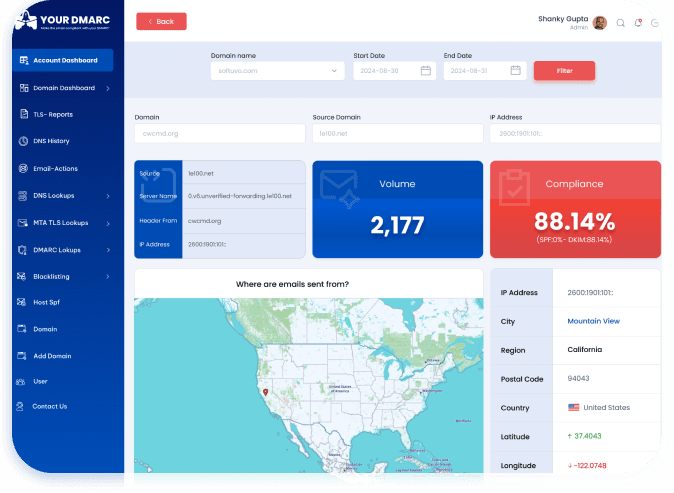
See it in Action
Why enforcing DMARC too early blocks your own mail
Receivers apply your policy to everything that fails, legitimate or not. These are the four places legitimate mail fails.

Third-party senders you forgot about
The CRM, the help desk, the invoicing tool, the marketing platform, the HR system: each sends mail as your domain. Any of them that is not in SPF, or not signing with a DKIM key for your domain, fails DMARC. At p=none nobody notices. At p=reject that mail disappears.

Forwarded mail
When a recipient auto-forwards to another mailbox, SPF breaks: the forwarding server is not yours. Only DKIM survives forwarding. A domain that passes DMARC on SPF alone will lose forwarded mail at p=reject, which is why a missing DKIM key is flagged before you enforce.

Subdomains and look-alike subdomains
p= covers the domain; sp= covers your real subdomains and np= the ones that do not exist. A weaker sp= than p= leaves every subdomain open to spoofing, and unused subdomains are a favourite for attackers because nobody is watching their reports.

Alignment, not just passing
SPF or DKIM can pass and DMARC can still fail, because the domain that passed is not the domain in the From: header. A platform that signs with its own domain passes DKIM and fails DMARC. Compliance has to be measured as aligned passes, the way receivers judge it.
Three policies, one direction
Each stage is a decision backed by report data, not a date on a calendar. You move when the data says your legitimate mail passes.
p=noneObserve
- →Publish a record with a rua= address. Reports start within a day or two.
- →Nothing about delivery changes; you are collecting the list of everyone who sends as you.
- →Fix each legitimate sender: add it to SPF or, better, get it signing DKIM for your domain.
p=quarantineQuarantine
- →Failing mail goes to spam rather than being refused, so a sender you missed is recoverable.
- →Start at a lower pct= if you want to apply the policy to part of the failing mail first, then raise it to 100.
- →Keep sp= at least as strong as p=, so subdomains do not stay open.
p=rejectEnforce
- →Failing mail is refused. Spoofed mail never reaches the inbox or the spam folder.
- →Move only when the share of failing mail from senders that may be yours is under the threshold.
- →Keep monitoring: a new tool, a changed ESP or a removed DKIM key can put legitimate mail at risk again.
; stage 1
v=DMARC1; p=none; rua=mailto:<you>@mail.yourdmarc.online
; stage 2, part of the failing mail first
v=DMARC1; p=quarantine; pct=25; rua=mailto:<you>@mail.yourdmarc.online
; stage 2, all of it
v=DMARC1; p=quarantine; rua=mailto:<you>@mail.yourdmarc.online
; stage 3
v=DMARC1; p=reject; sp=reject; rua=mailto:<you>@mail.yourdmarc.online
Want the record generated for your domain? Use the free DMARC generator, or let hosted DMARC publish it for you.
How yourDMARC decides a domain is ready
For every domain, yourDMARC looks at the mail reported in a rolling window and asks one question: how much of the failing mail comes from senders that may be yours? Clear spoofing does not count against you; that is the mail you want to block. Likely forwarding is counted separately. What remains is the mail you would lose by enforcing.
A domain needs a minimum volume of reported mail before it gets a verdict, and the thresholds for quarantine and reject are different, reject being the stricter. The result is one of the verdicts on the right, with the senders to fix and the exact record for the next step.
This is the same data that powers DMARC monitoring; readiness is what you do with it.
| Publish a DMARC record | No record was found for the domain. |
|---|---|
| Add a reporting address | The record has no rua=, so nobody can see who sends as the domain. |
| Not enough data yet | Too few messages were reported in the window to judge safely. |
| Fix failing senders first | Too much mail fails from senders that may be yours; the senders are listed. |
| Apply the policy to all mail | pct is below 100; raise it before the next step. |
| Ready for p=quarantine / p=reject | Failing mail from senders that may be yours is under the threshold; the exact record to publish is shown. |
| Legitimate mail may be rejected | p=reject is on and mail from senders that may be yours is failing. Act now. |
| Lock down this unused domain | The domain sends no mail, so p=reject breaks nothing and blocks everything. |
The data that makes each step safe
Enforcement is only as safe as your view of who sends as your domain. This is what yourDMARC shows before you change a policy.
Senders grouped by service
Thousands of IPs become a short list of services: your mail platform, your marketing tool, your help desk. Each shows volume, SPF and DKIM alignment and a pass rate, so you know which one to fix. Anything we cannot attribute is kept together so it cannot hide.
Forwarded and unidentified mail, separated
Failing mail that looks like forwarding is counted separately from failing mail that might be your own sender, and both are separated from clear spoofing. The readiness verdict is based on the mail that may be yours, not on the spoofing you want to block.
A next step per domain, with the record
Every domain gets a verdict and the exact record to publish for the next step. Policy defects are called out too: an invalid p=, a weaker sp= or np=, two DMARC records cancelling each other, SPF over the lookup limit, a missing or weak DKIM key.
Alerts when something changes
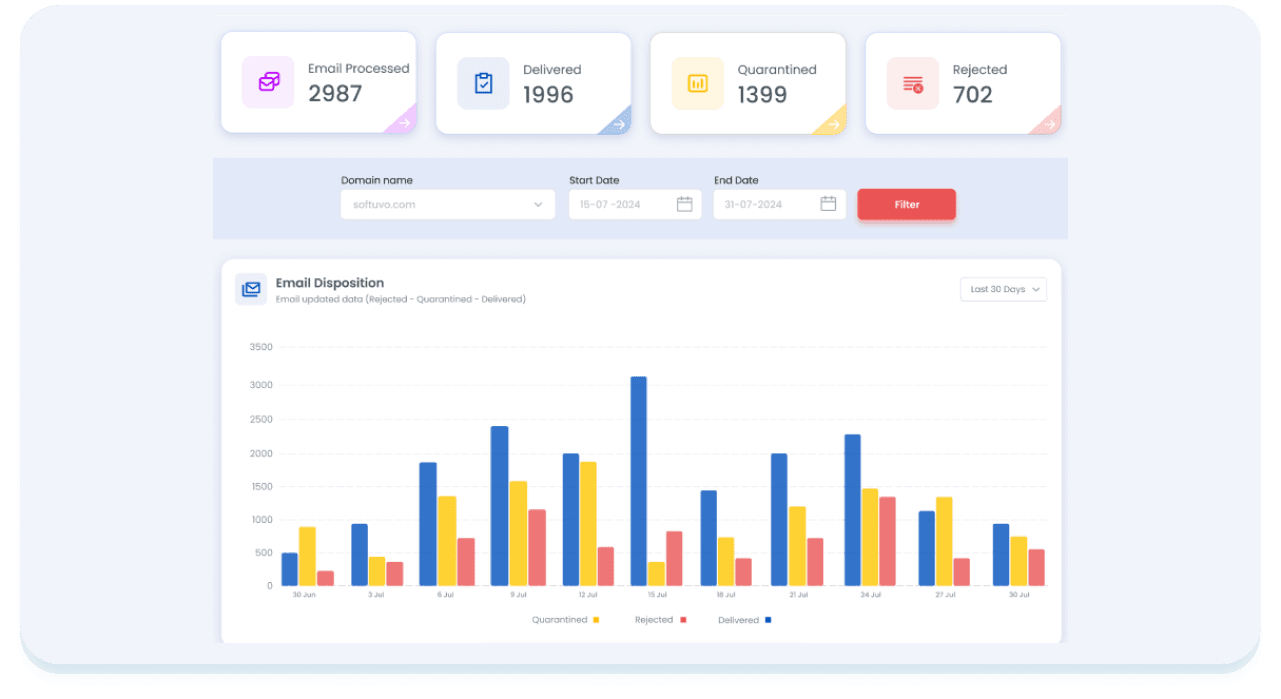
A daily alert when a domain's policy changes, when a sender starts failing or when reports stop arriving, and a Monday report with a What changed this week section. Enforcement is not a one-off project; the alerts are how it stays safe.
Apply each step with a button, roll back with one click
The slowest part of enforcement is usually DNS: finding who can edit it, waiting for the change window, hoping the record was pasted correctly. With hosted DMARC you publish one CNAME once, and yourDMARC publishes the record behind it.
- →Apply. When a domain is ready, the recommended record is applied with a button; receivers see it within minutes.
- →Validated. Only valid records are published; a typo cannot silently switch DMARC off.
- →Reversible. Every change is in a history with who, when and why, and a one-click rollback.
- →Autopilot, if you want it. Opt in per domain with a target of quarantine or reject; it moves one level at a time after a soak period, steps back if your own mail starts failing, and emails you about every change.

What to expect, and when
There is no fixed schedule; the data decides. But the shape of the project is predictable.
First reports
Most receivers send aggregate reports once a day, so the first ones arrive within a day or two of publishing a rua= address.
Find and fix senders
Infrequent senders (quarterly statements, annual renewals) only show up when they send. The longer you watch, the fewer surprises.
At quarantine
Watch the quarantined share. If a legitimate sender appears, fix it and keep going; the readiness window restarts from the data, not from zero.
At reject
New tools get added, ESPs change IPs, DKIM keys get removed. Alerts and the weekly report are how reject stays safe.
Prefer it done for you? Our managed DMARC service takes domains to enforcement. MSPs managing many client domains: see the partner program.
DMARC enforcement questions
What is DMARC enforcement?
DMARC enforcement means publishing a DMARC policy of p=quarantine or p=reject, so that receivers act on mail that fails DMARC instead of delivering it normally. p=none only asks for reports. Quarantine sends failing mail to spam; reject refuses it. Only an enforcing policy stops someone else sending mail as your domain.
How long does it take to go from p=none to p=reject?
It depends on how many services send as your domain and how fast you can fix them, not on a fixed calendar. Reports start within a day or two of publishing a rua= address. Most teams spend weeks at p=none finding and fixing senders, then a further period at p=quarantine before moving to p=reject. Low-volume domains take longer because the readiness check needs enough reported mail in its window to judge safely. Unused domains can go straight to p=reject.
What is the difference between p=quarantine and p=reject?
With p=quarantine, receivers deliver failing mail to the spam or junk folder, so a legitimate sender you missed is still recoverable by the recipient. With p=reject, failing mail is refused at the door and never reaches the recipient. Reject is the goal, because quarantined phishing can still be opened; quarantine is the safe intermediate step.
Should I use pct= to roll out gradually?
You can. pct=25 applies the policy to a quarter of failing mail and lets the rest through under the next weaker policy, which limits the damage if a sender was missed. It is a useful first step into quarantine. Before moving to reject, raise pct to 100; the readiness check tells you to do so, because a policy that covers part of your mail is not enforcement.
Why does forwarded mail fail DMARC, and what do I do about it?
Forwarding changes the sending server, so SPF no longer matches your domain. DKIM signatures survive forwarding as long as the forwarder does not alter the message. So the fix is DKIM: make sure every legitimate sender signs with a key for your domain. yourDMARC counts likely-forwarded failures separately so they do not block your enforcement decision, and flags a missing DKIM key before you enforce.
What about subdomains? Do I need sp= and np=?
p= applies to the domain itself. sp= sets the policy for subdomains and np= for subdomains that do not exist in DNS, which DMARCbis introduces. If you leave sp= out, subdomains inherit p=, which is fine. If you set sp=none while p=reject, every subdomain is open to spoofing, and yourDMARC flags it as a finding.
How does hosted DMARC make enforcement safer?
With hosted DMARC your record is published by yourDMARC behind one CNAME, so the recommended step is applied with a button rather than by editing DNS, every change is validated and kept in a history with one-click rollback, and an opt-in autopilot can raise the policy one level at a time once the domain has been ready for a soak period, stepping back if your own mail starts failing. If a step goes wrong you roll back in seconds rather than waiting for someone with DNS access.
Does moving to p=reject affect the Google and Yahoo requirements?
Their requirements accept p=none, so reject is not required for compliance. But p=none only reports; it does not protect anyone from mail pretending to be you. Microsoft recommends p=reject, and BIMI logos require at least p=quarantine. Enforcement is the point of DMARC; the requirements are the floor.
Check what your domain publishes today with the DMARC lookup, SPF lookup and DKIM lookup, or test a real message with the sender requirements check.
Start at p=none today, reach p=reject with the data on your side
Create an account, add your domain and point rua= at yourDMARC. Reports arrive within a day or two; the readiness verdict tells you what to do next.

Schedule a Demo
Discover more about yourDMARC and book a demo with sales.


Choose the Right Plan
Explore our flexible plans and pricing for perfectly fit solutions.

Learn more
Explore our latest blogs for expert insights on email spoofing prevention.

As a global team, we’re always available. Let’s talk!


© 2026 yourDMARC

Download to read the eBook
